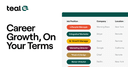
Teal
AI-powered career tool
Create a professional resume in minutes with Teal’s free Resume Builder. Create unlimited personalized resumes for every job you apply for.
Best for: Professionals looking to boost productivity
Last verified: 2026-02-17
Overview
Create a professional resume in minutes with Teal’s free Resume Builder. Create unlimited personalized resumes for every job you apply for.
Key features
- Job Application Tracker
- AI Resume Builder
- AI Interview Practice
- Resume Job Description Match
- Resume Summary Generator
- Resume Templates
- Cover Letter Generator
- Browser extension for seamless workflow integration
- Free tier available to get started with Teal
Teal pricing
Teal offers freemium pricing. Visit the official website for the most up-to-date pricing details.
What you can do with Teal
- ✓Automate repetitive tasks and workflows
- ✓Organize notes, documents, and knowledge
- ✓Manage projects and track progress
- ✓Use Teal to schedule meetings and optimize calendar
- ✓Use Teal directly in your browser while working
- ✓Get started free and upgrade as your needs grow
Pros and cons
Pros
- Teal saves significant time on routine tasks
- Integrates with existing tools and workflows
- Keeps work organized and accessible
- Teal offers a free plan to get started
Cons
- Learning curve to set up optimal workflows
- May require subscription for full functionality
Best Teal alternatives


Frequently asked questions
What is Teal?
Teal is create a professional resume in minutes with Teal’s free Resume Builder. Create unlimited personalized resumes for every job you apply for. It falls under the Productivity category of AI tools.
Is Teal free to use?
Yes, Teal offers a free plan with limited features. Paid plans unlock additional capabilities and higher usage limits.
How much does Teal cost?
Teal offers the following plans: Free: $0 (monthly). Prices may change, so visit the official website for the most current pricing.
What are the best Teal alternatives?
There are several alternatives to Teal in the Productivity space. Check our Teal alternatives page for a detailed comparison of similar tools with features, pricing, and user reviews.
What is Teal best for?
Teal is best for professionals looking to boost productivity. It excels in the Productivity category.
What platforms does Teal support?
Teal is available on Chrome Extension, Web. This makes it accessible across different devices and workflows.
User Reviews
Be the first to review Teal
Sources & Verification
Last verified: 2026-02-17
- Official website(accessed 2026-02-17)
Data collected from official sources. Verify on the tool's website for the latest information.
Related tools


Ready to try Teal?
Visit the official website to get started.
Visit TealLast updated: 2026-02-17. Affiliate disclosure